
8 Smart Ways to Use AI in Your Daily Work Life (No Budget Required)
AI MASTERY FOR MIDLIFE PROFESSIONALS
11/21/20256 min read


You know what? I get it. You're tired of reading AI articles written by 23-year-old Silicon Valley types who think everyone has unlimited budgets and tech support teams. You're a real professional with real responsibilities, maybe you're managing a team while dealing with elderly parents, or you're trying to keep up with work demands while your industry keeps changing faster than you can adapt.
This isn't another "AI will change everything" hype piece. This is about practical tools that can actually make your day less stressful and more manageable, mostly for free, and definitely without needing a computer science degree.
1. Stop Drowning in Information Overload
The Real Problem:
You get bombarded with emails, reports, articles, and documents. By lunch, your brain is already fried from trying to process it all.
The Free Solution:
AI tools that summarize and process information for you.
What Actually Works:
NotebookLM (Free from Google): Upload up to 50 documents, web pages, or PDFs. Ask it questions like "What are the main takeaways from these quarterly reports?" or "Summarize the key action items from this week's meeting notes." It even creates podcast-style audio summaries you can listen to while commuting.
Perplexity AI (Free tier available): Instead of reading 10 articles about industry trends, ask Perplexity: "What are the biggest challenges in [your industry] right now?" It gives you a comprehensive answer with sources, saving hours of research.
ChatGPT (Free version): Copy-paste long emails or documents and ask: "Give me the three most important points from this." Perfect for those 2,000-word emails that could have been a paragraph.
2. Write Professional Communications Without the Mental Drain
The Real Problem:
You know what you want to say, but finding the right tone for emails, reports, or presentations is exhausting after a long day.
The Free Solution:
AI writing assistance that matches your professional voice.
What Actually Works:
ChatGPT (Free): Create templates for common communications. For example: "Write a professional but friendly email declining a meeting request" or "Help me draft a status update that shows progress without overpromising."
Google's Gemini (Free): If you use Gmail, it integrates directly. Ask it to help draft responses that are appropriately formal or casual depending on the recipient.
Claude (Free tier): Excellent for longer documents. Give it your rough outline and ask it to help structure a professional report or proposal.
Pro Tip:
Don't use AI to replace your thinking, use it to handle the formatting and tone while you focus on the content. Create a "voice profile" by showing it examples of your best communications.
3. Manage Your Impossible Schedule
The Real Problem:
Your calendar looks like a game of Tetris designed by someone who hates you. Meetings run over, urgent tasks get buried, and you're always behind.
The Free Solution:
AI-powered time management that actually understands how humans work.
What Actually Works:
Reclaim.ai (Free plan available): Automatically blocks time for your most important work and defends it from meeting requests. When someone tries to book you during "focus time," it suggests alternatives.
Motion (Free trial, then $19/month - worth considering): This goes beyond calendar management. It schedules your tasks automatically based on deadlines, priority, and available time. When meetings run over, it reschedules everything else automatically.
Clockwise (Free version): Analyzes your team's calendars to find the best times for meetings when everyone can actually focus.
How It Works:
Set your priorities once, and the AI handles the scheduling. No more playing calendar Tetris at 10 PM Sunday night.
4. Handle Routine Questions Without Going Insane
The Real Problem:
You spend half your day answering the same questions - "Where's the budget report?" "What's the deadline for X?" "How do I access Y?", instead of doing actual work.
The Free Solution:
AI assistants that can handle repetitive questions for you.
What Actually Works:
Microsoft Copilot (Free in Edge browser): If your workplace uses Microsoft tools, it can help answer questions about documents, find information in SharePoint, and draft responses to common queries.
ChatGPT (Free): Create a "knowledge base" document with answers to your most common questions. Then paste it into ChatGPT and ask it to respond to specific queries in your voice.
5. Stop Feeling Overwhelmed by Learning New Things
The Real Problem:
Your industry keeps evolving, and you feel like you're falling behind. But who has time for lengthy courses or dense technical manuals?
The Free Solution:
AI tutors that explain things in terms you actually understand.
What Actually Works:
ChatGPT (Free): Ask it to explain complex topics "like I'm a [your profession] with 15 years of experience." For example: "Explain blockchain technology like I'm a marketing director who needs to understand if it affects my industry."
Claude (Free tier): Excellent for breaking down complex regulations, policies, or technical changes in your field. It can create simple action plans based on new requirements.
Perplexity AI (Free tier available): Perfect for staying current without information overload. Ask: "What do I need to know about [new regulation/technology/trend] that affects [your specific role]?"
Learning Strategy:
Spend 15 minutes each morning asking AI to summarize one new thing relevant to your work. Much more effective than trying to read industry publications during your commute.
6. Create Presentations That Don't Suck
The Real Problem:
You have great ideas but creating polished presentations takes forever. You're not a designer, and PowerPoint templates all look the same.
The Free Solution:
AI that handles design and structure while you focus on content.
What Actually Works:
Gamma (Free tier): Describe your presentation topic and key points. It creates a complete slide deck with professional design. Much faster than starting with blank slides.
Canva (Free version): AI-powered design suggestions for slides, infographics, and professional graphics. Even if you have no design skills, your presentations will look professional.
ChatGPT (Free): Create presentation outlines and talking points. Ask: "Create a 10-minute presentation outline about [your topic] for [your audience]."
Pro Tip:
Use AI for structure and design, but keep your personal examples and insights. The goal is professional-looking presentations that still sound like you.
7. Reduce Stress Through Better Self-Care
The Real Problem:
You know you should manage stress better, but self-care feels like another item on your to-do list. You need practical tools, not lifestyle guru advice.
The Free Solution:
AI-powered stress management that fits your actual life.
What Actually Works:
Wysa (Free): An AI mental health chatbot that provides cognitive behavioral therapy techniques. Talk to it when you're stressed - no appointment needed, no waiting rooms.
Insight Timer (Free): AI-curated meditation selections based on how much time you have. Options for 2-minute desk breaks or 20-minute deep sessions.
Headspace (Free content available): AI-powered recommendations for stress relief based on your schedule and stress patterns.
8. Automate the Administrative Stuff That Drains Your Soul
The Real Problem:
Expense reports, status updates, meeting notes, and other administrative tasks eat up time you should spend on meaningful work.
The Free Solution:
AI tools that handle routine administrative tasks.
What Actually Works:
Otter.ai (Free plan): Records and transcribes meetings automatically. Ask it to summarize action items and key decisions. No more frantic note-taking during important calls.
Google Workspace AI (Free features): Smart compose in Gmail, automatic meeting summaries in Google Meet, and suggested responses to common emails.
N8N (Free & Open Source option available): Connects your apps so routine tasks happen automatically. For example, automatically save email attachments to specific folders or create calendar events from certain types of emails.
⚠️ Critical Privacy Warning: Protect Your Professional Life
Before you upload anything to free AI tools, ask yourself: "Would I be comfortable if my competitor saw this?"
Free AI tools use your data to improve their models.
Never upload:
Employee reviews, financial reports, or client information
Legal contracts, proprietary processes, or strategic plans
Personal medical data or confidential documents
Simple rules:
Remove names, dates, and identifying details first
Use generic examples instead of real data
Check your company's AI policy before using any tools
When in doubt, don't upload it
Your career is worth more than the convenience of uploading that confidential document.
The Bottom Line for Real Professionals
AI isn't magic, but it is practical. These tools won't replace good business judgment, but they will give you back hours each week to focus on work that actually matters.
Start small, protect your data, and remember: the goal isn't to use AI for everything - it's to use AI strategically so you can focus on the work only you can do.
The professionals winning in 2025 aren't the ones with the most AI tools. They're the ones using AI responsibly to solve real problems while protecting their professional reputation.
Remember:
The goal isn't to become an AI expert. The goal is to use AI to become better at being human in a demanding professional world.
Until next time,


Want to accelerate your progress?
It’s packed with real-world examples, templates, and prompts to help you transform technology anxiety into a career advantage. Sign up now and take the next step toward building an AI-resilient, financially free future.
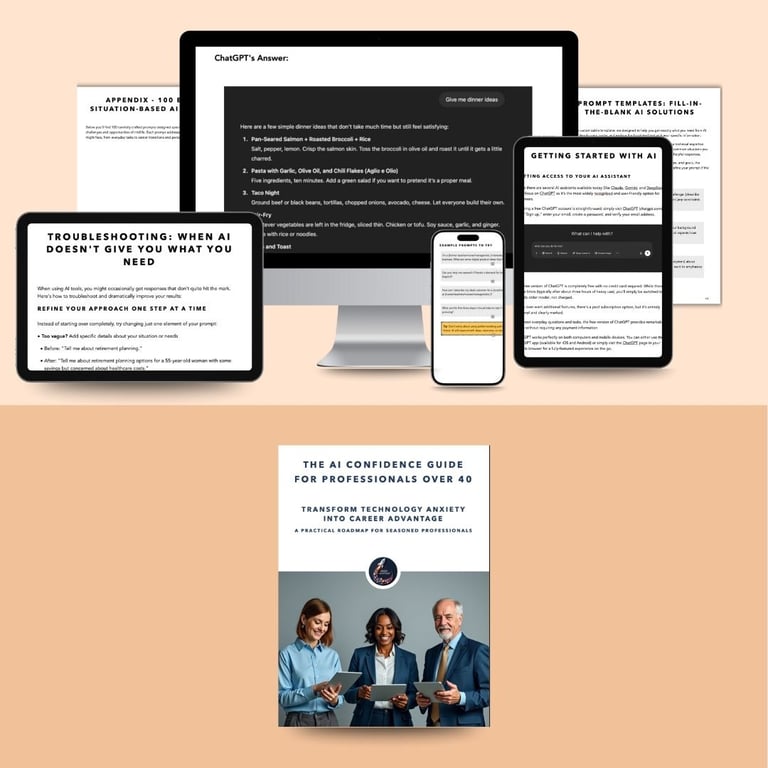
If you’re ready to move beyond AI anxiety and master practical, actionable AI strategies tailored for professionals over 40, grab my free guide:
Accuracy & Feedback
I've written this post based on my current understanding and professional experience. If you spot an error or have an insight to share, I'd welcome your feedback in the comments.